-
About
Create pages with different content and the same design.
-
Background
-
Duda is a web building platform for design agencies and hosting companies. When building sites on Duda, regular pages are edited individually, each one with its own layout and content. Editing the layout of one page doesn't affect any other page. Creating complex sites on Duda used to take a lot of time and resources. Every page on the site is created, managed and maintained separately. When working on a site with 20 recipes, 30 team profiles, or 500 housing listings, the process can be long and cumbersome. Part of the cumbersome process was copying customer data from a database to the site, and having to update it once in a while. In our 2019 survey, 41% of users mentioned using an additional platform to build their complex sites.
-
Roles and Responsibilities
-
My role in this project was both product manager and product designer. I was responsible for all the product & design aspects, while consulting with our CTO and lead developer on technical aspects. As this was an ongoing project, we had different deadlines and different team combinations along the way. We started from a small and awesome team of 2 backend developers, QA and automation, and later on got a client developer on our team.
-
Target Audience
-
Our target audience was customers who build advanced and page-heavy sites, and are looking for an easy and automate their process. Within the target audience we had two different types of users: - Big tech savvy customers that manage their clients' data in their own database or saas platform - Smaller customers who manager their clients' data in docs and spreadsheets
-
High Level Goals
-
- Allow creating more advanced websites on Duda, while keeping the platform easy to use. - Allow using external data to populate websites. - Provide a fast, efficient and automated way to create and manage sites. - Reduce dev effort by customers.
-
The Solution
-
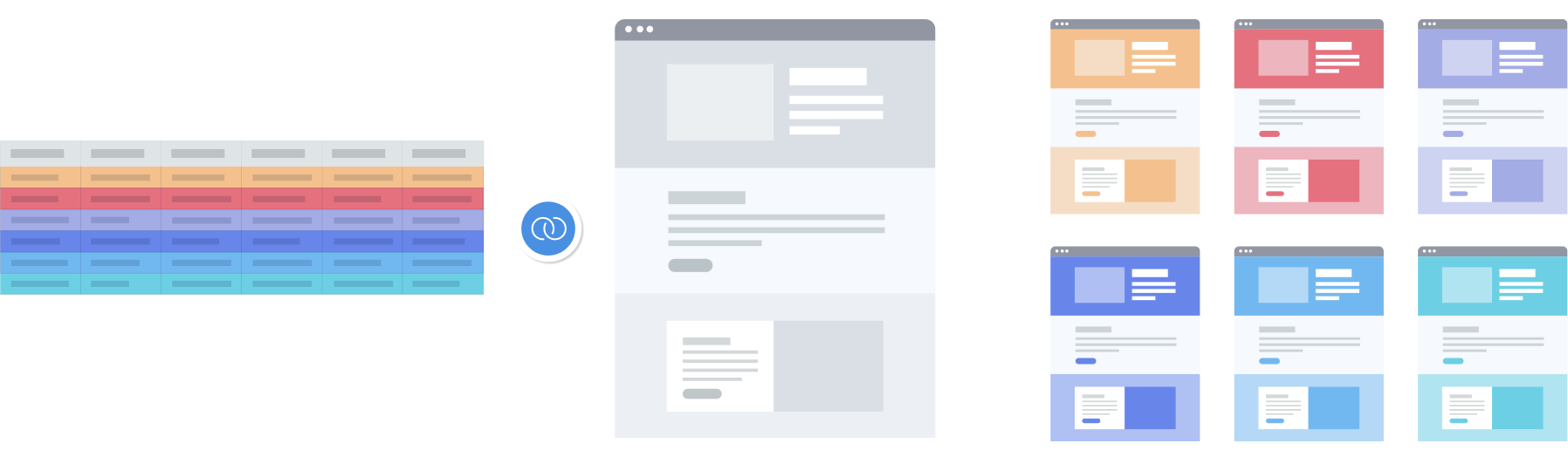
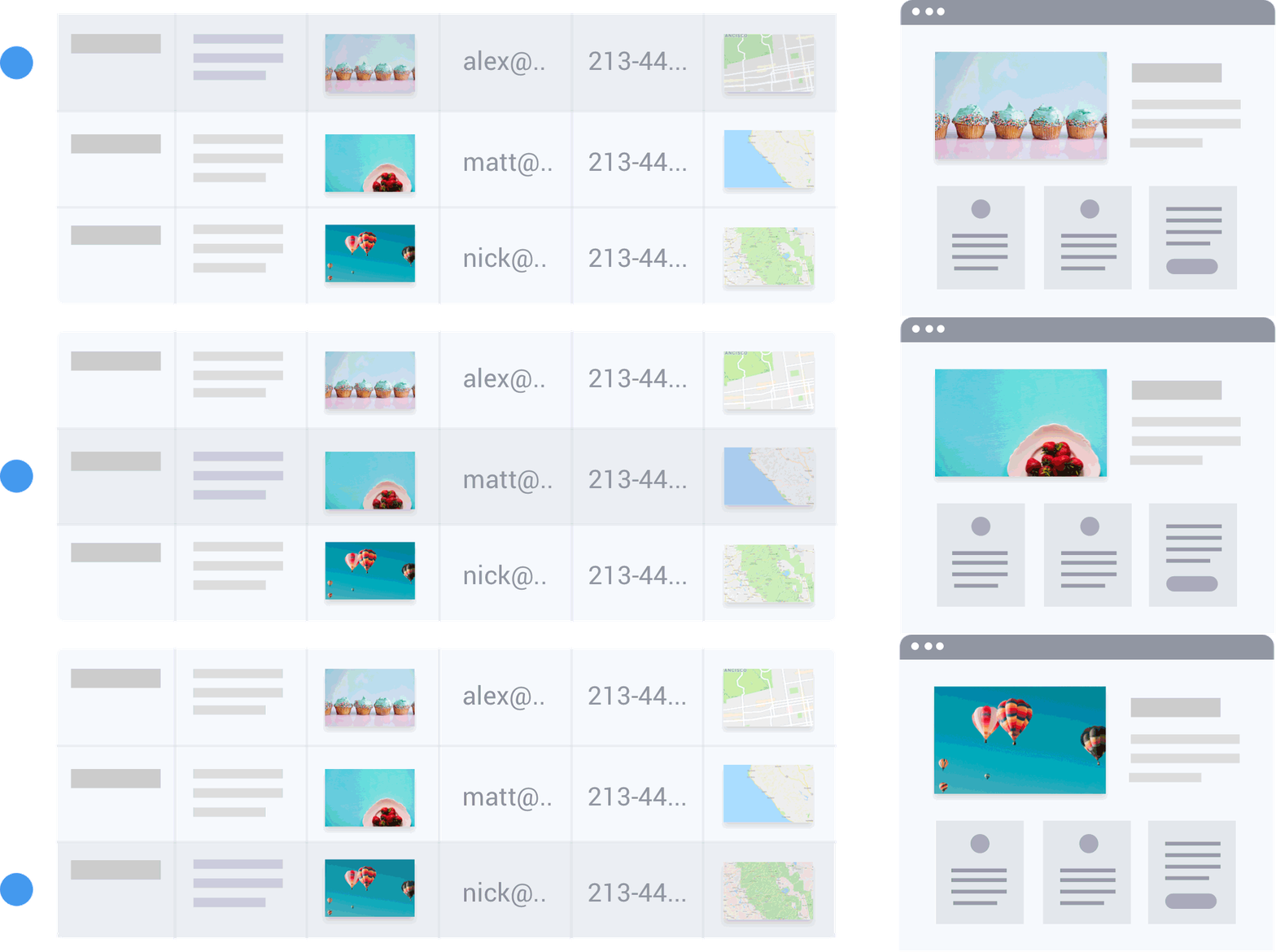
Create multiple pages with different content based on single page design and data collections. Dynamic pages provide a different site building process and make it easy to create hundreds of pages in the effort of creating one. Design a page once and use it as a master layout to create multiple pages, called page items, that are displayed on the site. The page items are automatically generated according to content stored in a content collection. A content collection is a table (or a database) where content is stored. You can create a collection from scratch, or use existing data you have in your database, a google sheet or an airtable base, import it to Duda and display it on your site. With dynamic pages the data update is automatic. Once you add or update data to your collection, it will automatically update on the live site. Connect the collection to a dynamic page to create a page for each row in the collection, and manage the design of the page once, and the content separately.
-
02
The Process
-
Competitor Research
-
The first step was competitor research. The main competitors were Webflow, Wix and different Wordpress plugins to understand what solutions already exist. The research included trying each one of them out for several use cases, understanding how this functionality can be improved and live inside our platform. In addition to direct competitors, I also explored different products that contain the concept of symbols or master objects (such as Sketch, Slides).
-
Interviews
-
On our annual survey (2019), 53% of our users stated that this new capability would be the most helpful to them. Before the development started, I conducted interviews with 10 of them to hear more about their use case, their experience with a similar solution in other platforms, and how do they overcome this missing feature in the sites they build on our platform. The interviewees were 3 different types of users: 3 were small agencies (3-10 employees) 4 medium companies (dozens of employees, more tech savvy) 3 enterprises (hundres of employees with, tech savvy that work mostly via API) - our backend developer joined to the interviews with the tech savvy clients The purpose was to hear from each one and find common grounds to create a solution that fits all. The interview questions were around 4 topics - use cases and usage, flow, permissions (who does what) and value. We learned a lot from the interviews. We discovered use cases we haven't considered, as well as different flow/order of actiones than what we assumed to be the common one. The answers were similar for the same types of users, but different accross user types.
-
Data Types & Widgets
-
Mapping widgets and data types was based on the connected data mapping, with some additions. I created a spec to indicate which widgets can be dynamic and which are static.
-
High Level Flows
-
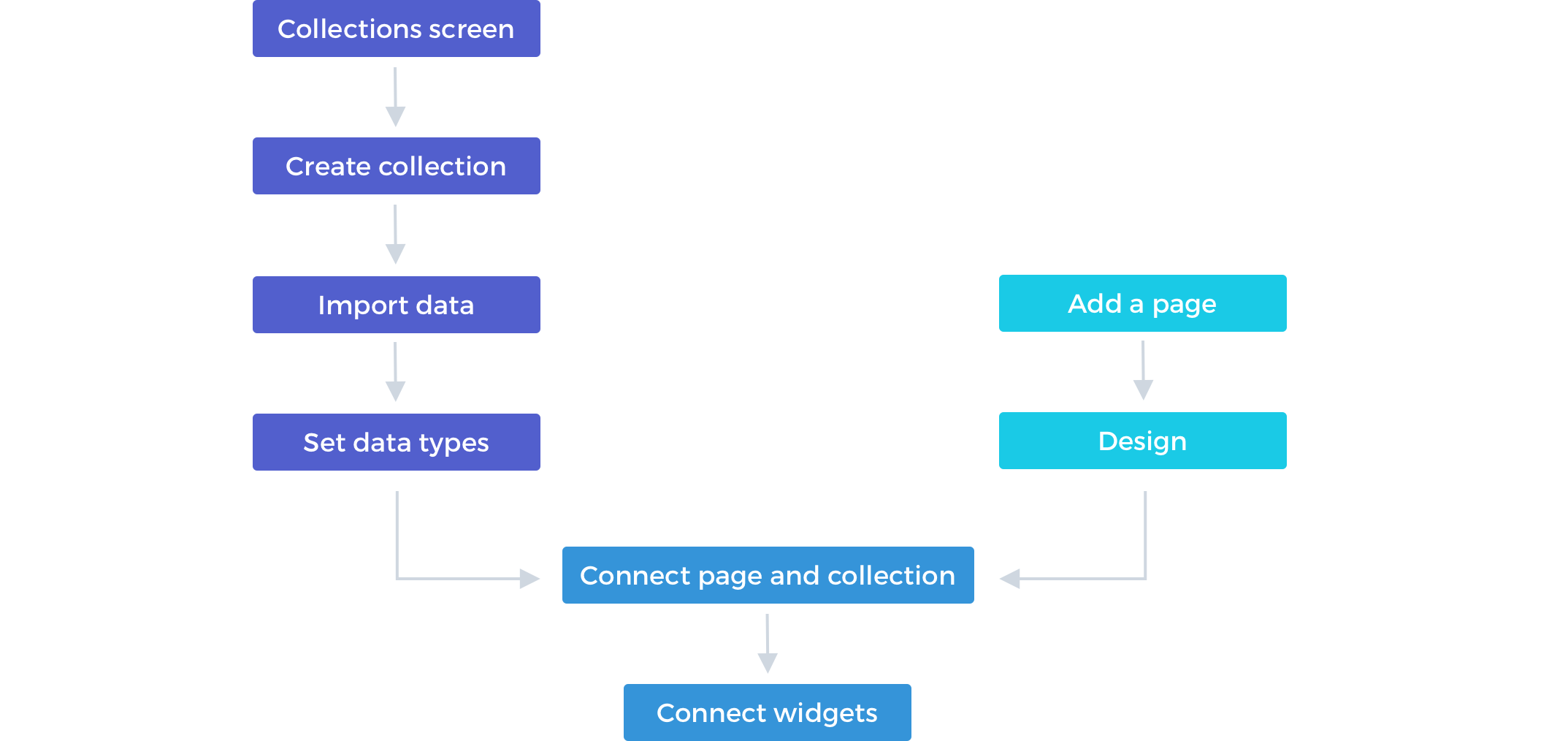
We had two main flows to cover and connect: 1 - creating the collection 2 - creating the dynamic page From the interviews we learned that each type of user works differently. Some start from the collections, others from the page and some just freestyle it (the smaller clients).
-
Product Tour vs Onboarding Screens
-
Due to the complexity of the feature and the fact that the two user flows start from a two different locations in the editor, we looked into integrating a product tour. After setting a product tour on our test environment it turned out to not efficient, and in usability testing it didn't helped people but annoyed them, and they ended up closing the tour. The onboarding popups and screens that contained a welcome message, GIFs and general instructions got more attention. We got feedback that people would like to be able to view them again, and eventually we added short tutorials for each one of the flows.
-
First Collection Created
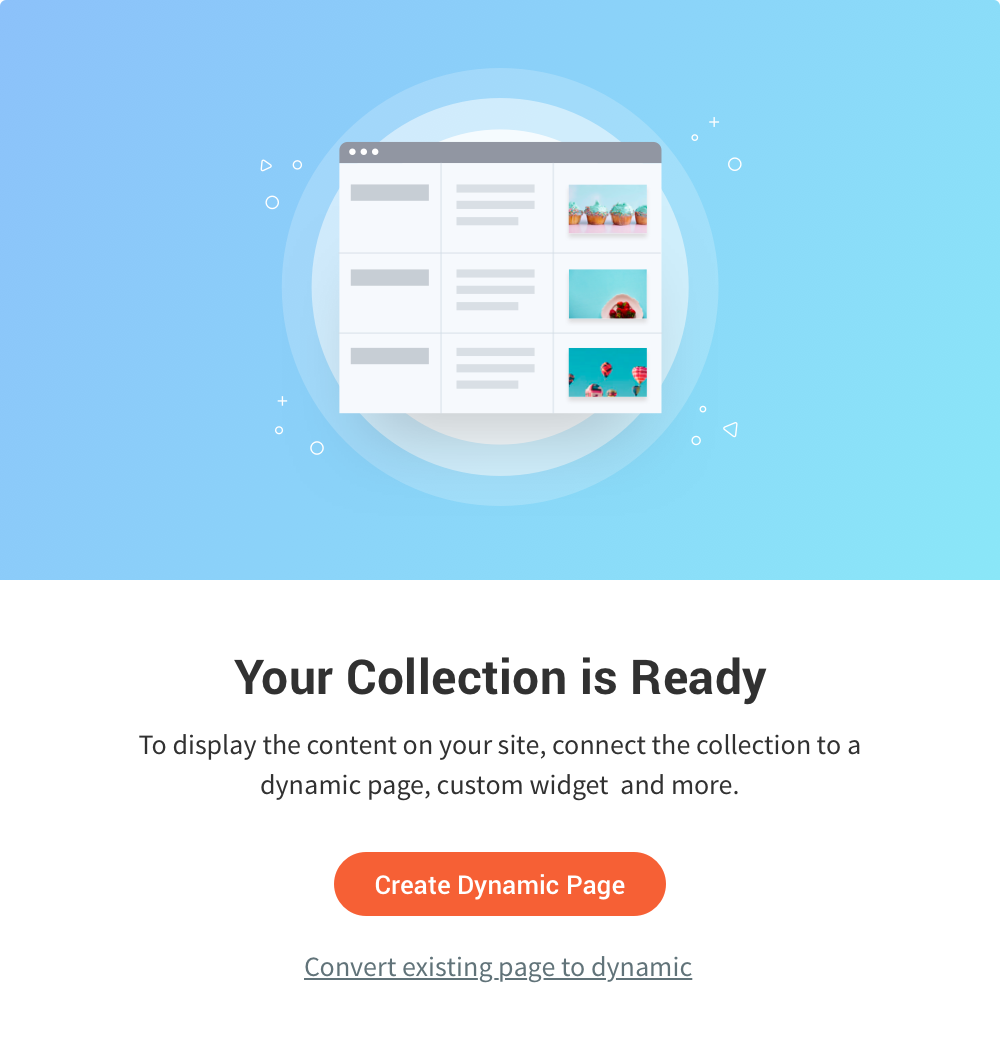
When users finish creating their first collection, this walks them through the next step
-
Dynamic Pages Created
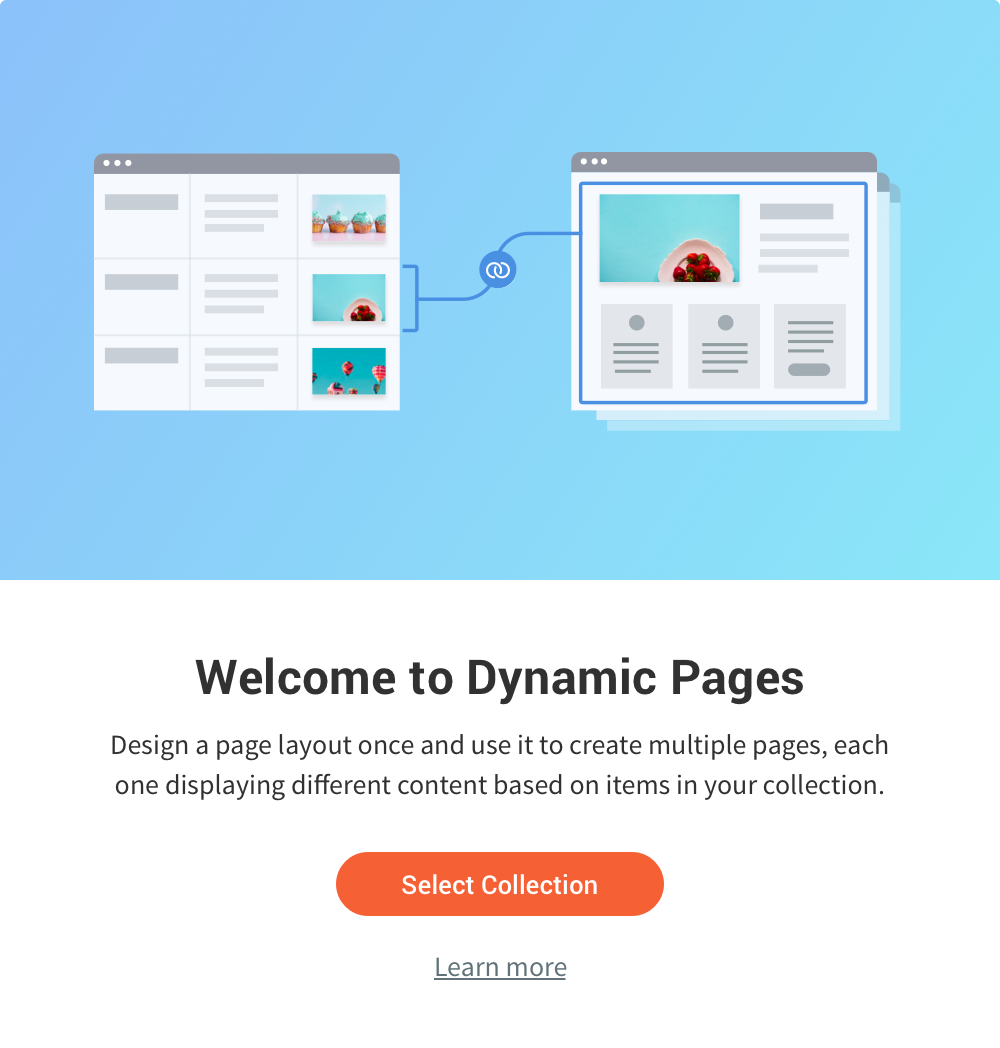
When connecting a page to the collection. Appears each time with opt out
-
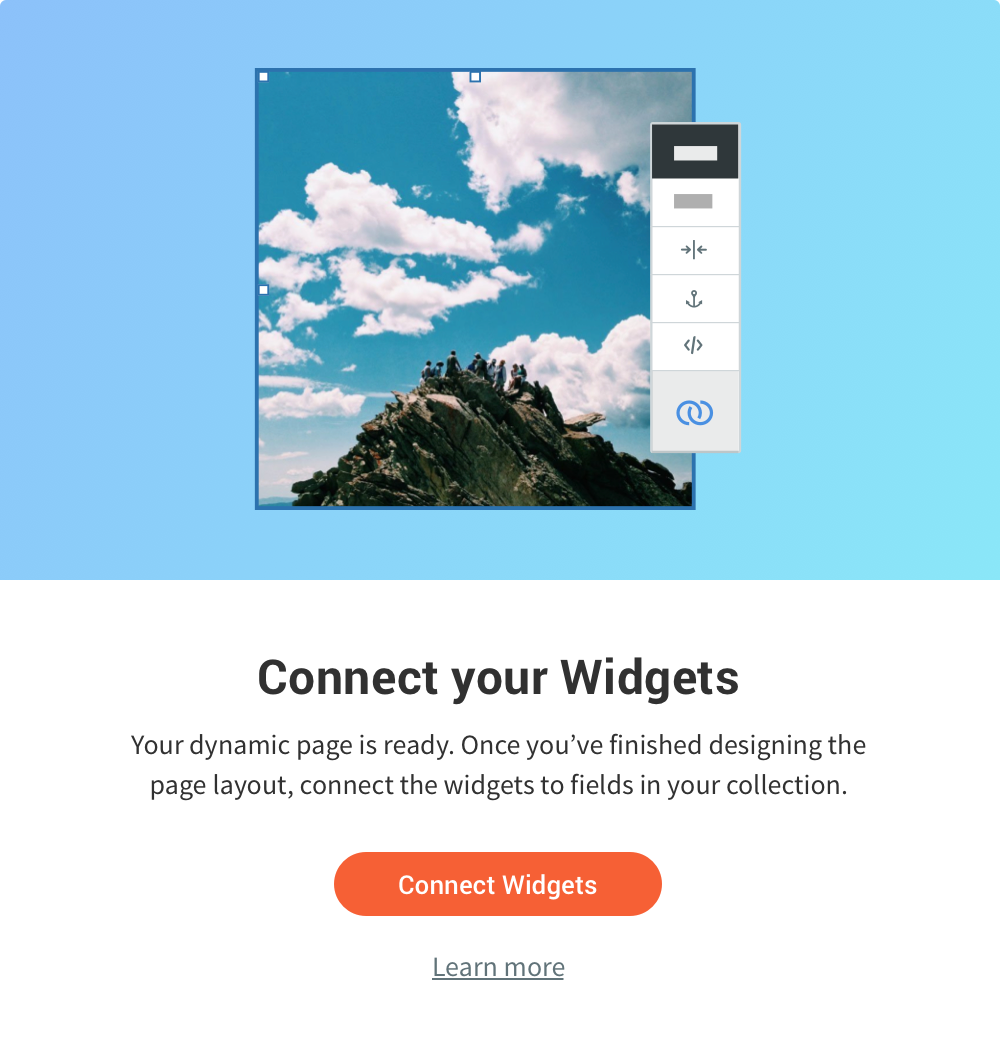
Connect Widgets to Data
When connecting a page to the collection. Appears each time with opt out
-
03
Key Features
-
-
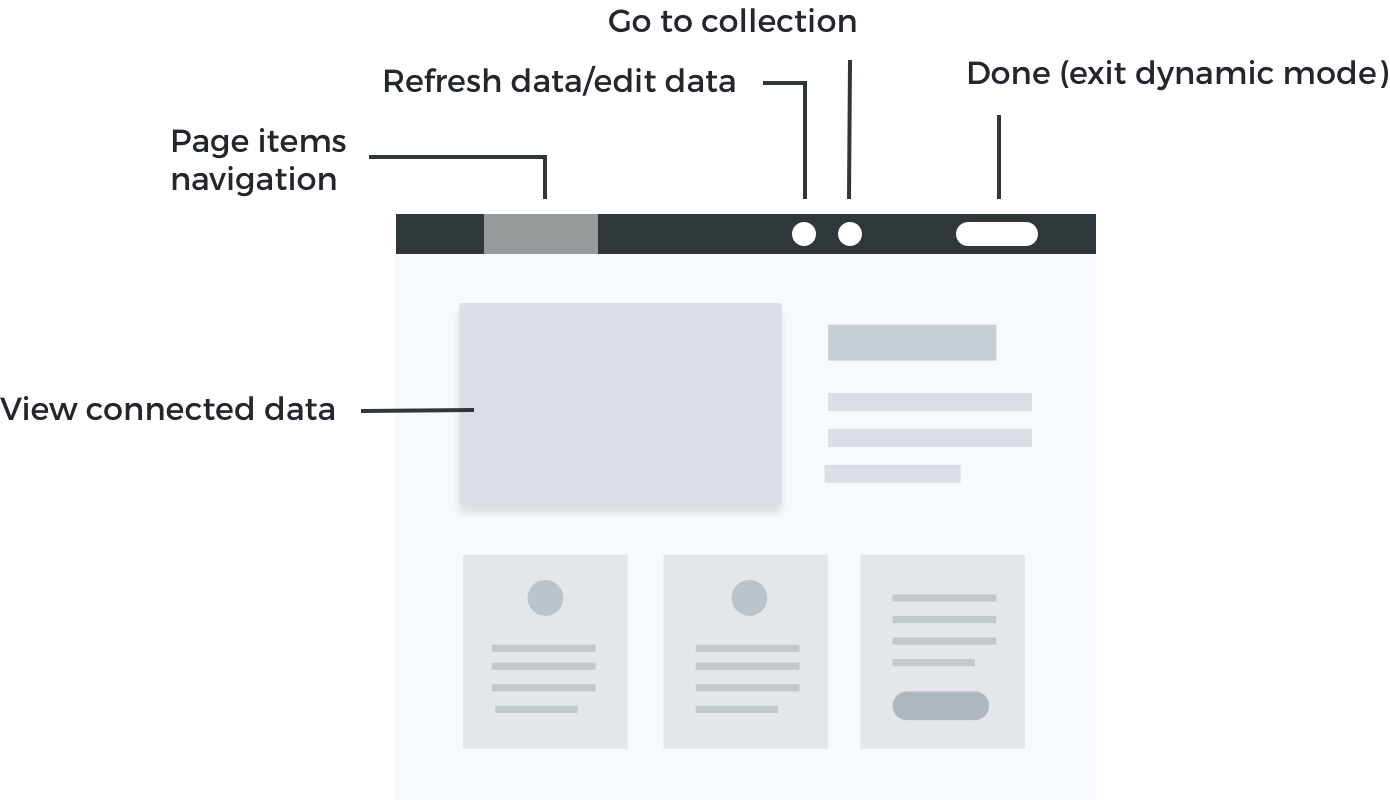
Dynamic Mode
Modes in Duda are states in the editor that give access to something specific - template mode allows to create templates, layout mode allows to edit posts layout, etc.
Users can enter Dynamic Mode when they have a dynamic page - a page that's connected to a collection. Dynamic mode changes the editor context. It allows users to connect widgets to data from the collection, view their data in the editor and edit design changes that will affect all the generated pages. They can also navigate between the different pages, refresh and update data, and get an easy access to the collection screen. In internal collections, they can also edit the collection data from this screen.
-
Page Item Navigation
When entering Dynamic Mode, the regular navigation that is for the entire site changes to the page items navigation, according to data coming from the collection. Essentially this is what happens when you navigate between page items, you navigate between rows in the collection.
-
-
-
External Collections
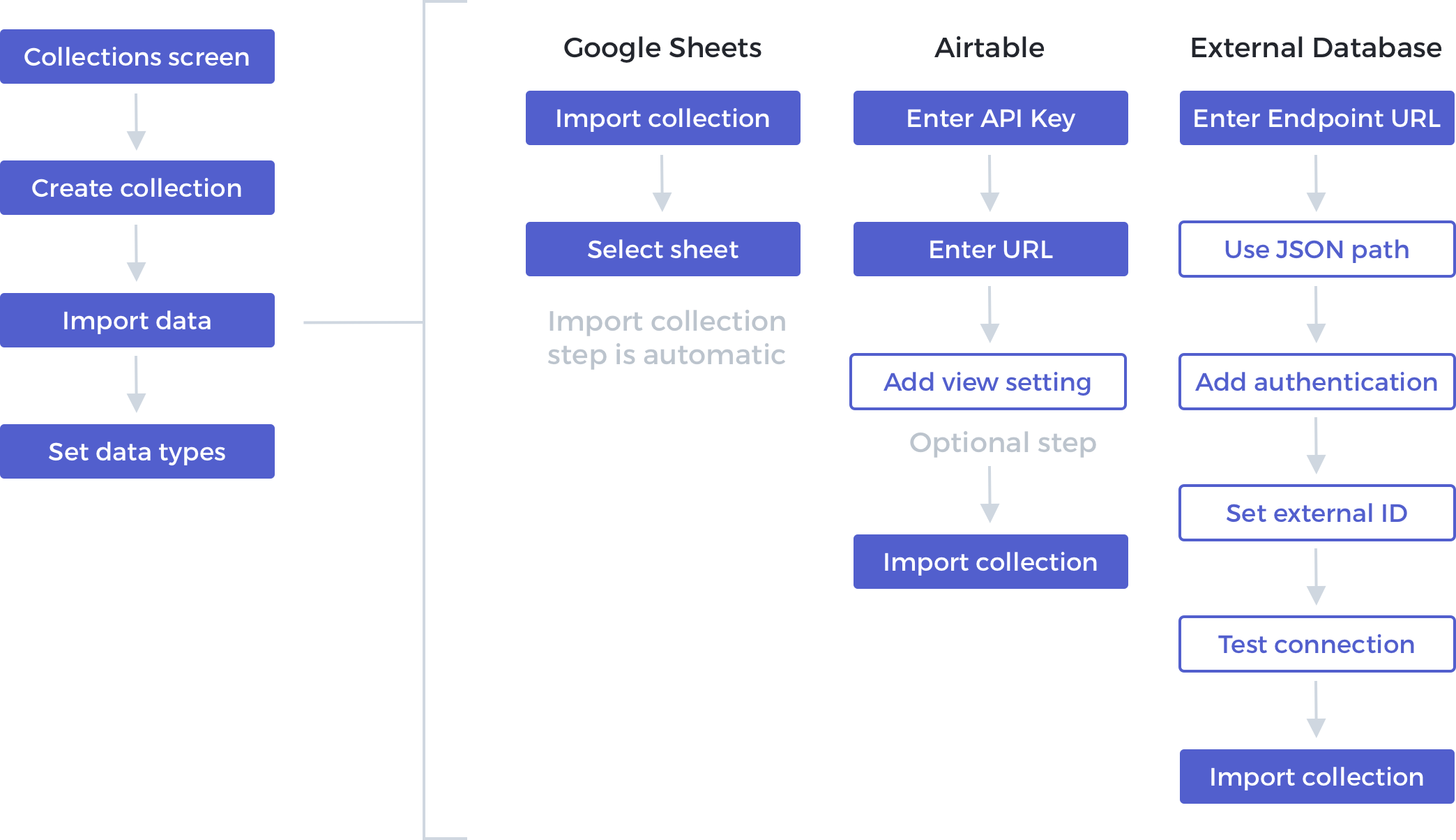
Our first release included only external collections. We tried to create as similar flow as possible. Since each collection have different requiremtn, the import data screen ended up being different for each collection.
-
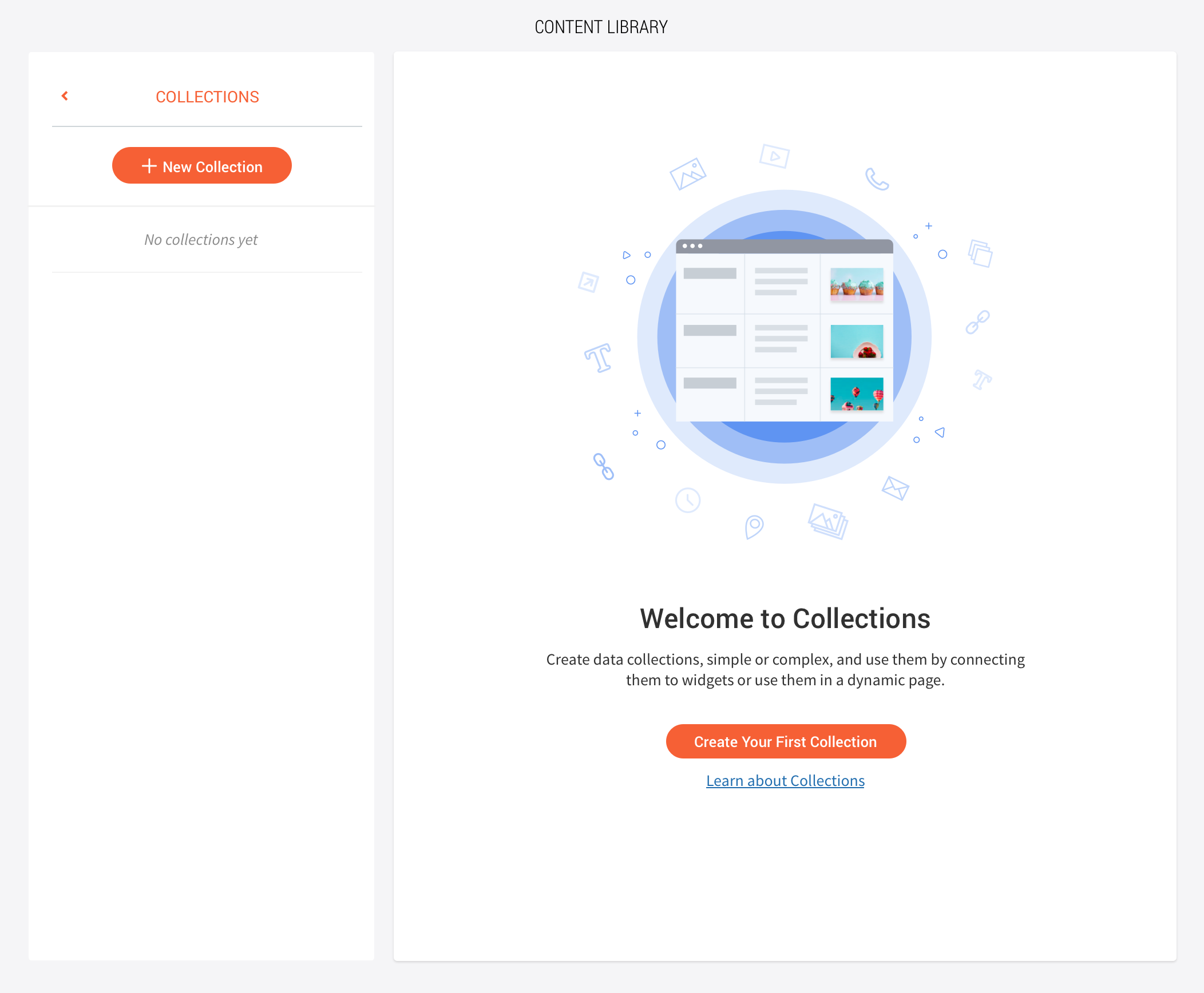
#1 - First visit to the collections screen
-
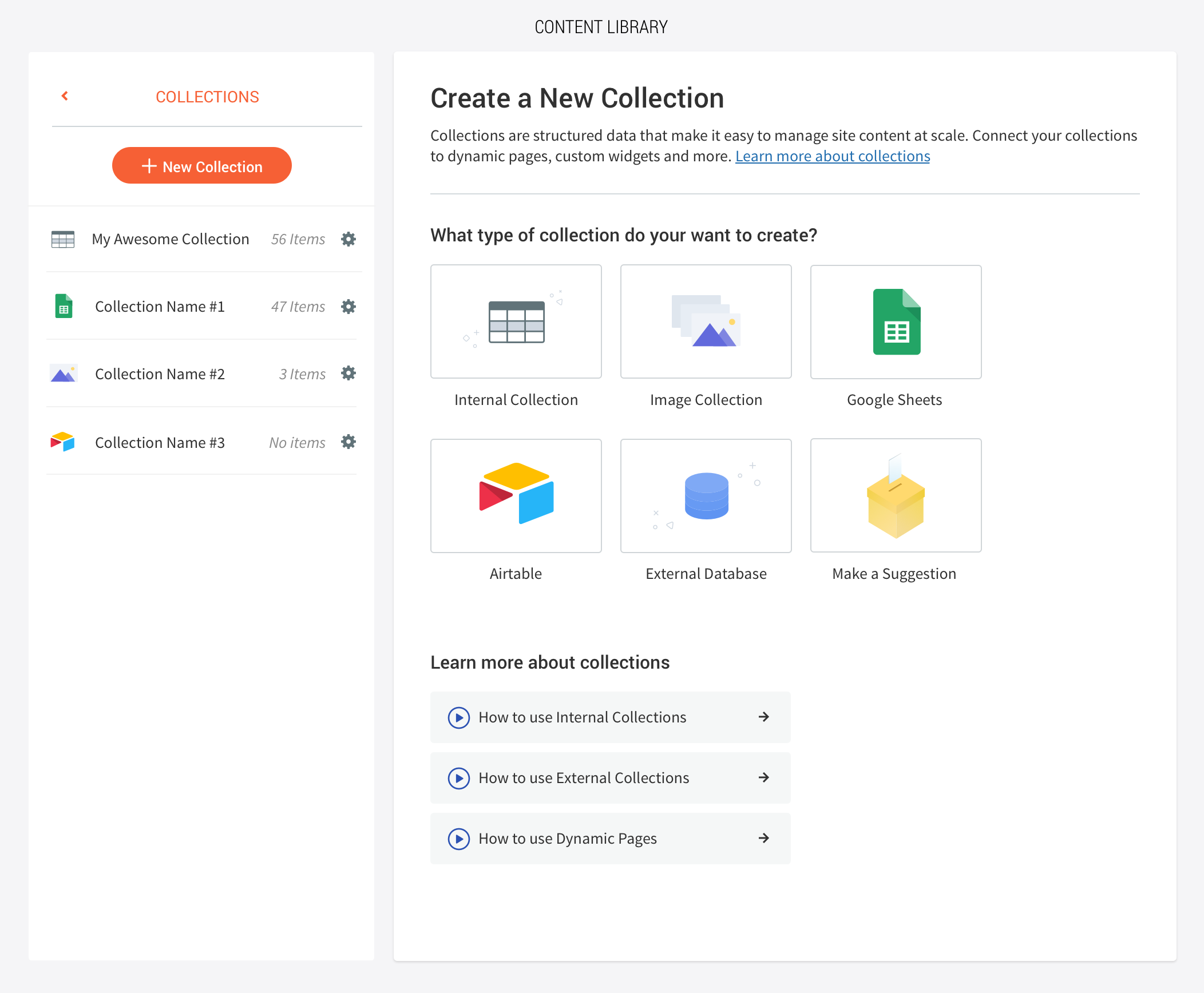
#2 - Collections home screen
-
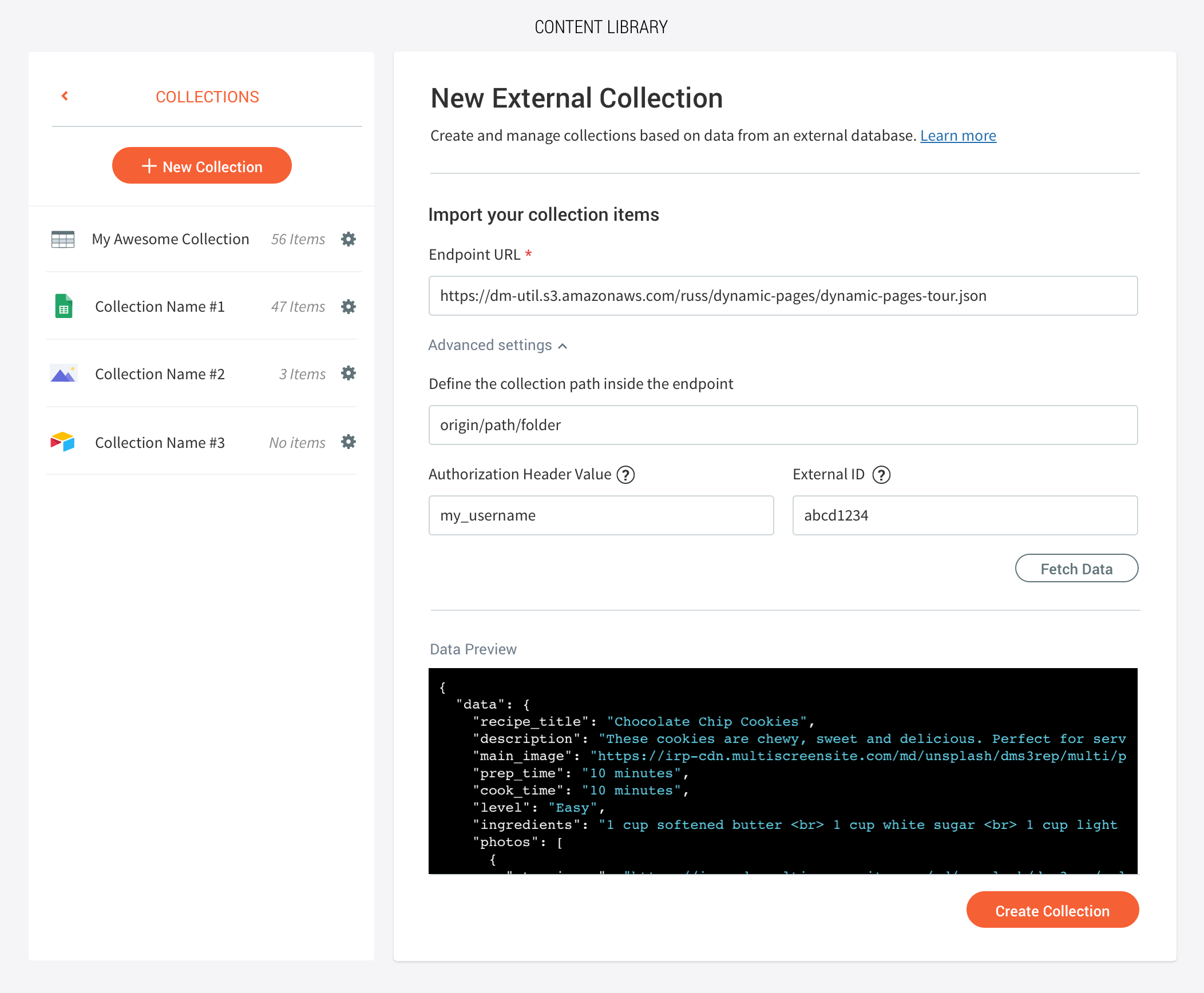
#3 - Importing external database collection
-
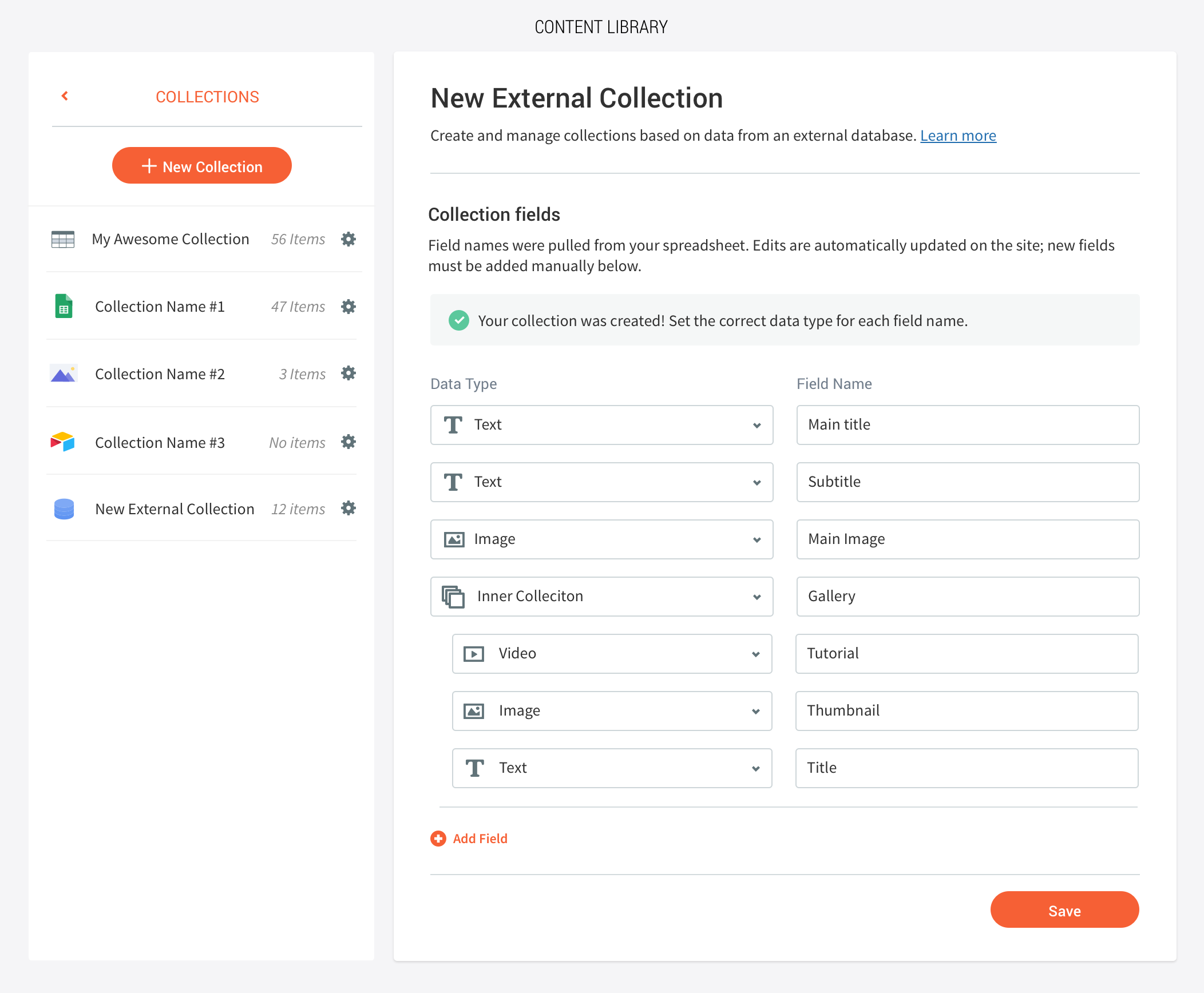
#4 - Mapping collection fields
-
04
Releases
-
Scope
-
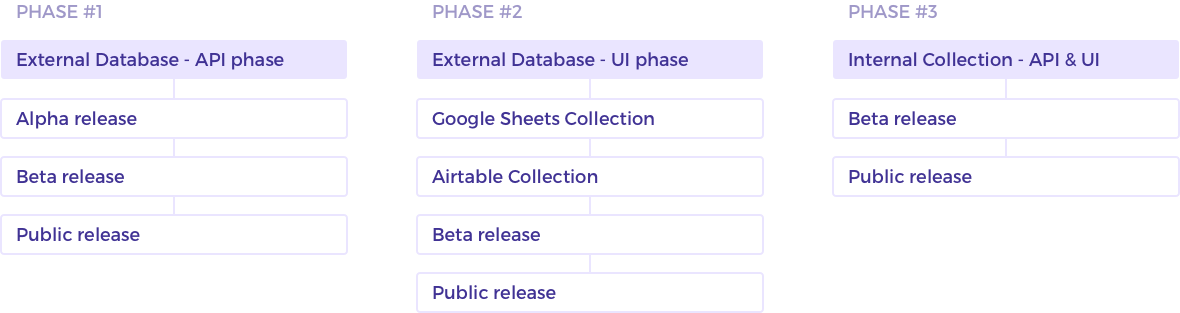
This feature was released over a year, in 3 parts. Phase #1 had 4 months Phase #2 - 4 months Phase #3 - 4 months The entire project was ongoing, but we had a 4 months deadline for the first release (no UI, just API). After 2 more months we released the 2nd phase to another scope of users, that included UI for the first release and two more features.
-
Release Phases
-
-
Alphas & Betas
-
Phase #1
We released an alpha version to one large client. This was a working version with a handful of known issues and a medium stability. We worked closely with this client via slack and weekly meetings to update resolved issues and understand the issues they were facing. The beta version was released to 10 clients with the same profile. We provided documentation and created slack channels to provide ongoing support, and created a feature request file where they can submit bugs and feature requests according to priority. In both Alpha and Beta we ran into edge scenarios and use cases we didn't think of, unique flows and additional features that were important for the release.
Phase #2
This phase beta started small, and later on expanded to about 50 users. As part of the expanded beta we created a landing page with video tutorials and exmaples for different collections according to use cases. We created 4 example sites, comparing the site with the data sheet/json file, allowing clients to dig into these examples to understand exactly what they can achieve with this feature (and with each one of the options).
-
Impact
-
Once this was live, the client who signed an SOW with us used this feature in more than 7K sites. Another client used this in 45K sites. Usage - each month 5K dynamic pages are created.