-
About
Sync external data and display it on your site
-
Background
-
Duda is B2B2C company, that helps different businesses create sites for the clients. Our bigger costumers have structured sites that they want to fill with content. Their work process includes collecting data from their clients through an interview, and then entering it to the sites. They were looking for a way to automate their process, create and sell sites faster.
-
Roles and Responsibilities
-
This was my first project joining the company. I was both the product manager and the designer. Our team consisted of one backend developer who also did the front-end for this project, and one QA engineer.
-
Target Audience
-
Our target audience was do-it-for-me companies (unlike DIY companies) that build structured sites for their customers, and already have the content they want to build the site with. They have structured processes that they are looking to automate, or customers that create simple sites for their clients (not content heavy).
-
High Level Goals
-
- Allow auto-populating sites with content - Save manual work and automate site building process - Provide a fast, efficient and automated way to create and sell sites
-
The Solution
-
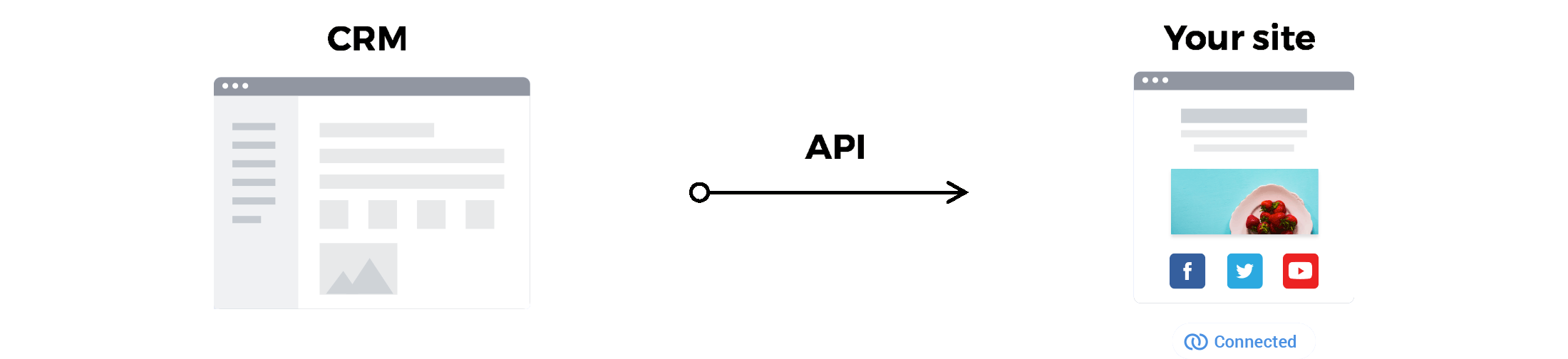
Connected data allows connecting between external data sources and the elements on the website, to auto-populate the elements on the website with data from external sources. Connected data - use Duda's content library and API capability to allow populating sites with customer data and business information. This improved the process of website building and made it more efficient.
-
02
The Process
-
Competitor Research
-
The first step was competitor research. The concept of using data from one place to display it in another isn't limited to the website building domain. During the competitor research I looked at similar features in our competitors' products, but also every product that connected between different parts of its platform, used variables or shortcodes to display one thing out of its natural context.
-
Interviews
-
As this was developed under a SOW for a specific customer, we looked into their working process as one of the main use cases. In addition we spoke to more customers to create a solution that is generic enough to fit different workflows and serve different types of customers.
-
Data Types & Widgets
-
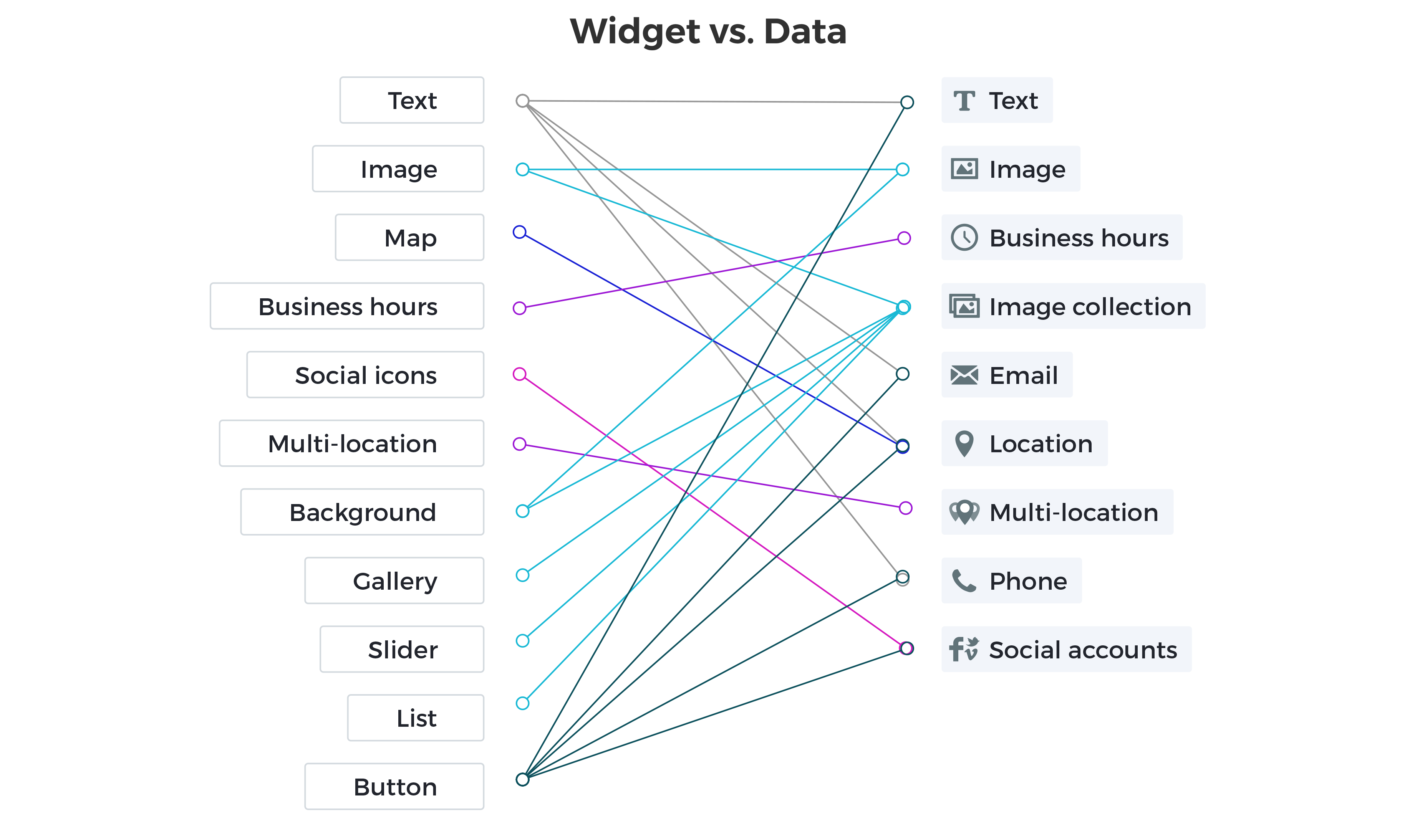
We created mapping between our existing widgets and the content library data, to allow connecting specific data types to specific widgets. For example, data types such as text, email, phone and location can connect to the text widget - but can also be displayed as a map (location) or a button (to email/call).
-
High Level Flows
-
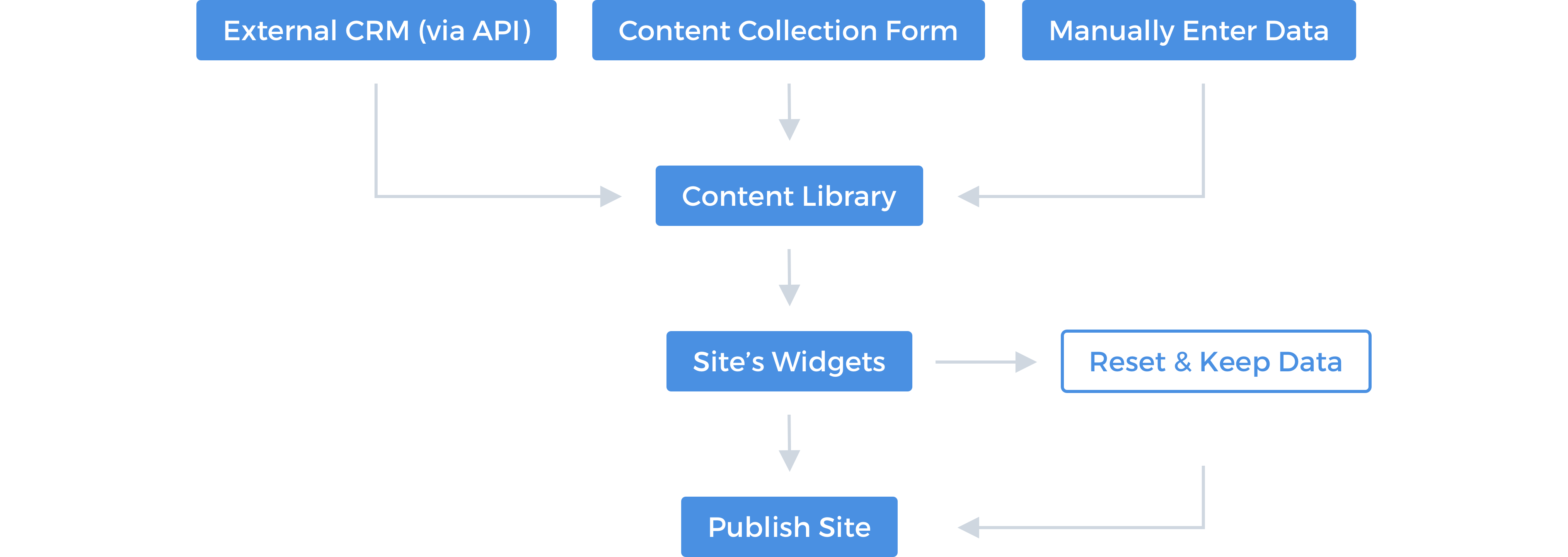
There are 3 ways to populate the content library with data: 1 - send data via API - this can be an API call or an integration from the clients side that automatically sends a call every time a client update their CRM. 2 - Fill in the content collection form - a built in form in Duda's platform that a customer can send to their clients to fill in. Once submitted, the form's content will populate the content library. 3 - Connect widgets. This can be done after the content library already has data or in advance using Template Mode, when the content library is still empty.
-
03
Key Features
Connected Data Modal - Evolution
-
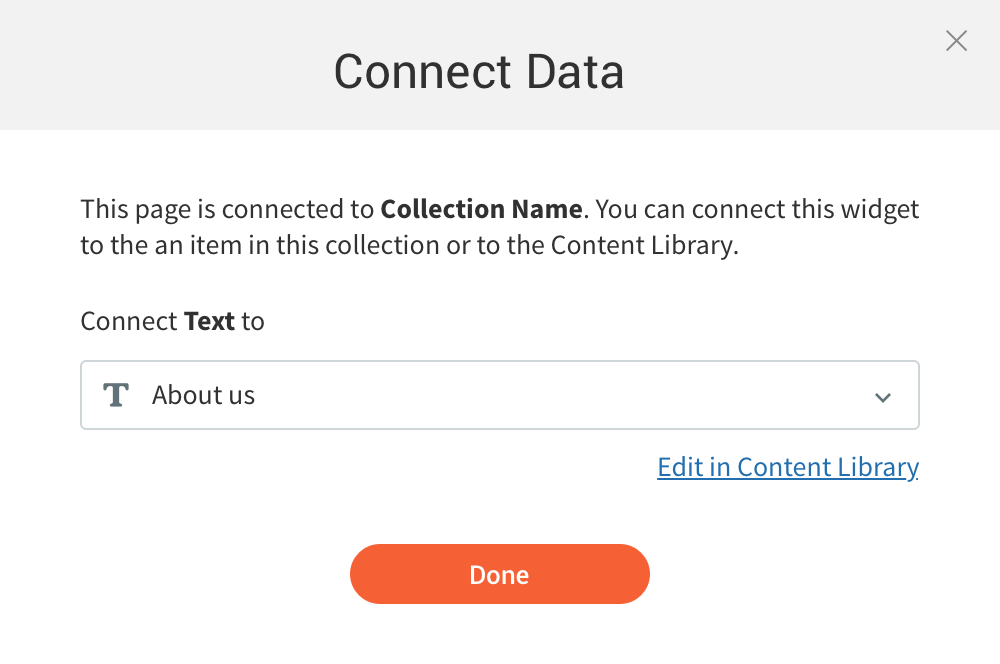
#1 - Connect
First version of the modal only allowed connecting between a widget and the data type. The data is viewed in the site editor once the widget is connected.
-
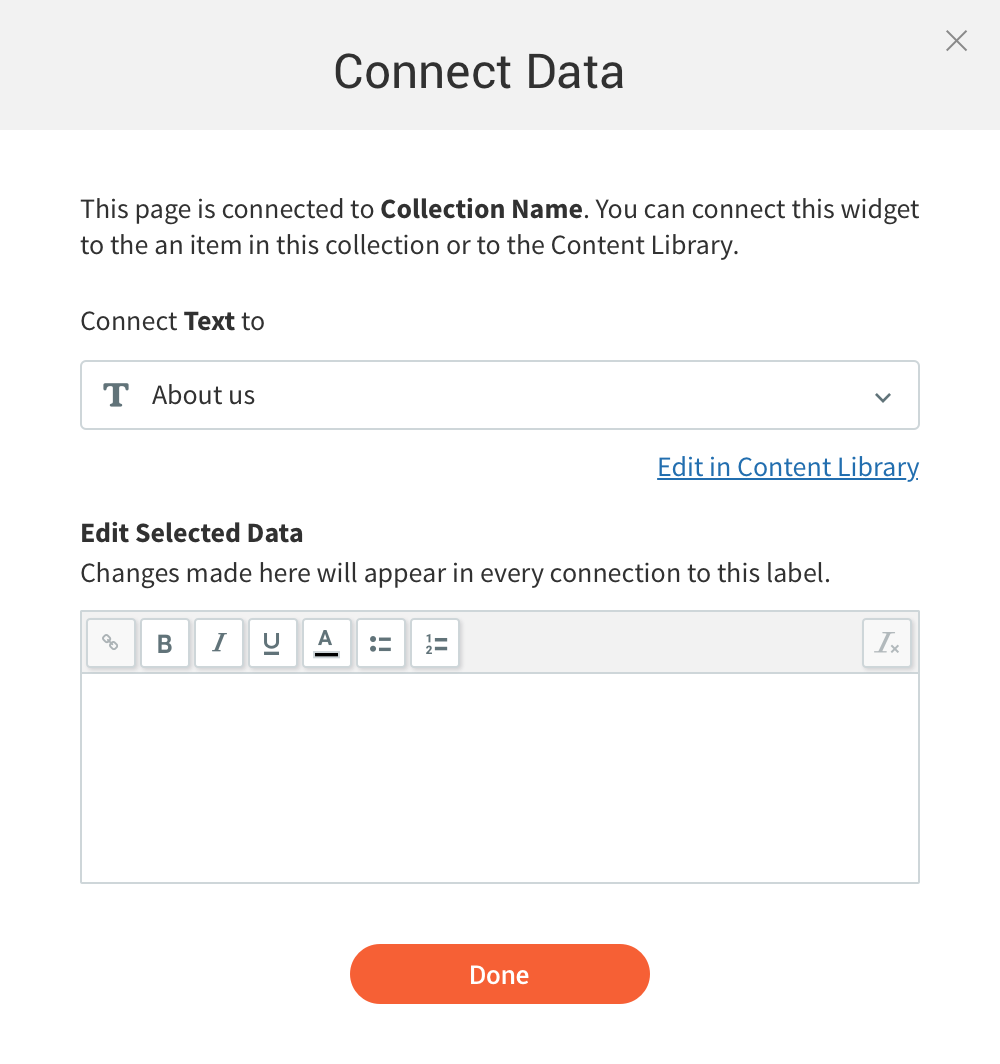
#2 - Connect + edit
The second version of the modal included both connecting the widget and then editing its content. The content editor would appear once the data is selected.
-
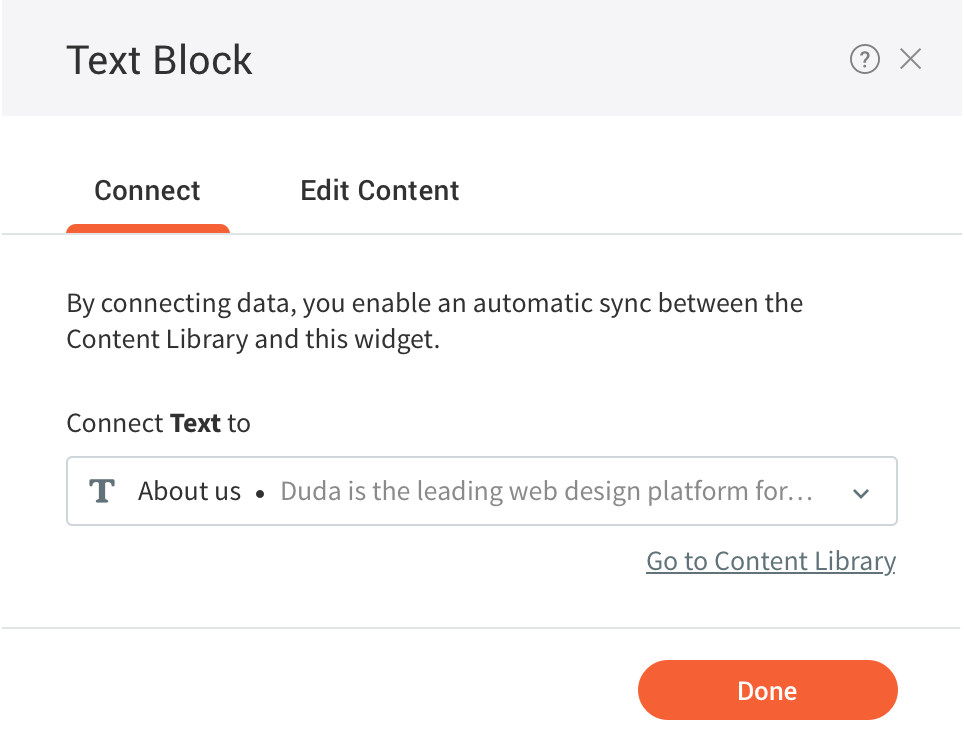
#3 - Reorganized modal
The last version included a lot of improvements to make this into a more user friendly experience. Each tab represents a different part of the process.
-
New Modal
-
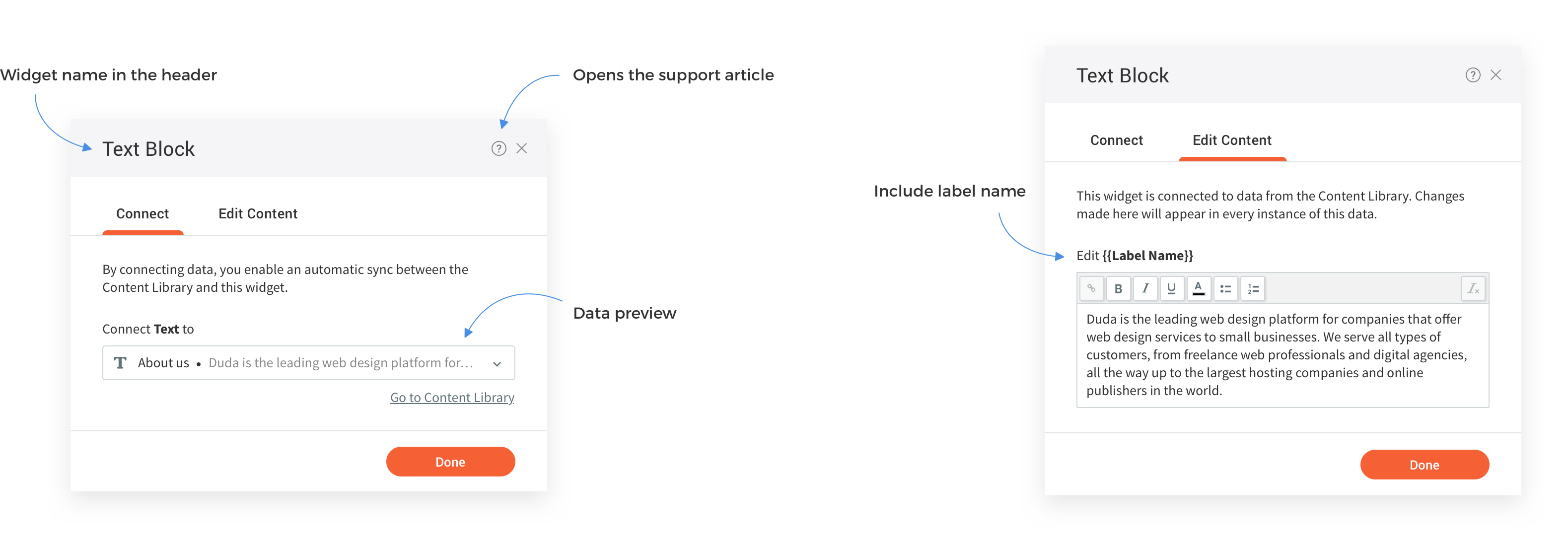
The new and improved connected data modal came from customers who mentioned their clients were very confused with the connected data concept. These were non-tech-savvy clients, who filled their data in one place and viewed it on their site. They were able to edit their site, but were confused when they viewed the connection part. They were not aware of the technology used to populate their site with content.
-
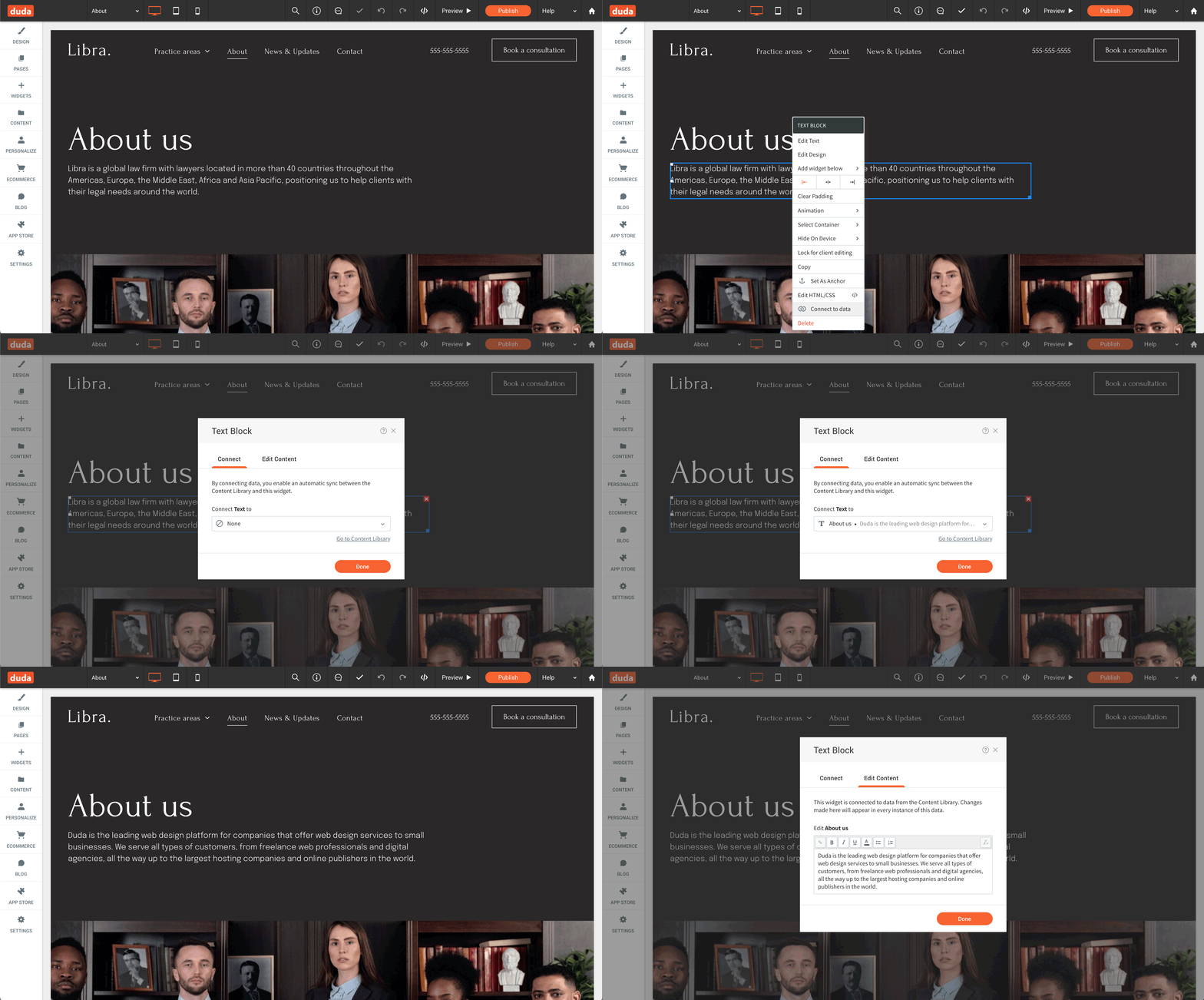
New Flow
-
The new popup separated the connection from the content editing - so users that are dealing with connections will view the connection first, but when a connected widget is opened - users are able to edit its content straight away.
-
Content Editors
-
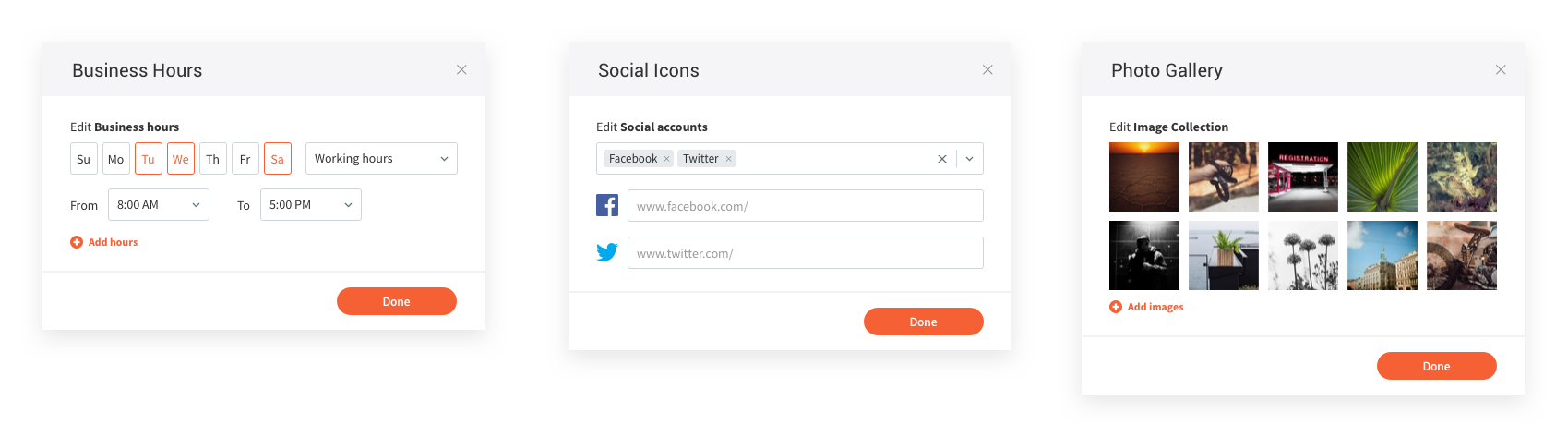
Based on the widget-data type mapping, each data type has a dedicated content editor. This opens when you click on the connected popup. This allows users to edit the data from the popup instead of navigating to the content library. The different editors include plain text, rich text, image and image collection, business hours, location, social icons and more.
-
Client Permissions
-
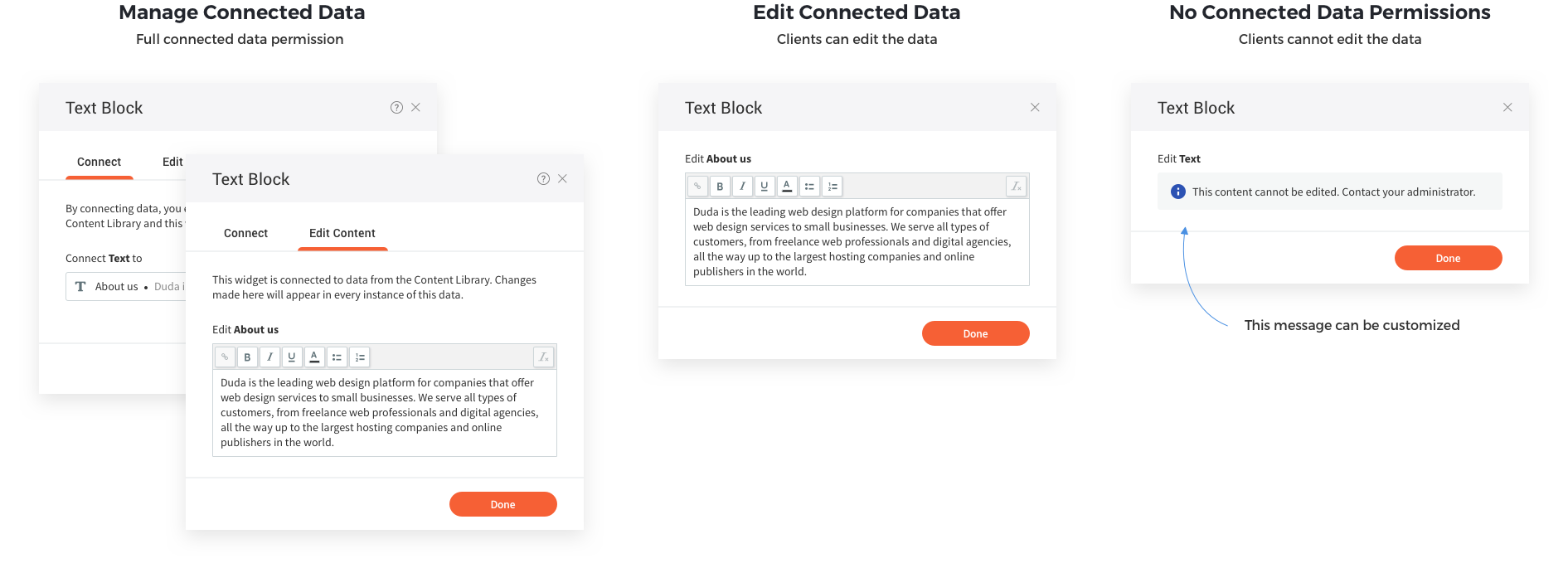
As the connected data feature was being used by customers [the clients of our clients] we needed to allow account owners to protect their data setup. For this, we introduced two permissions - manage connected data and edit connected data. While the first allow users to edit the connections, the second allows them to edit the data. This was developed for accounts that wanted to prevent their clients from either changing the connections or edit the data.
-
Complex Widgets Mapping
-
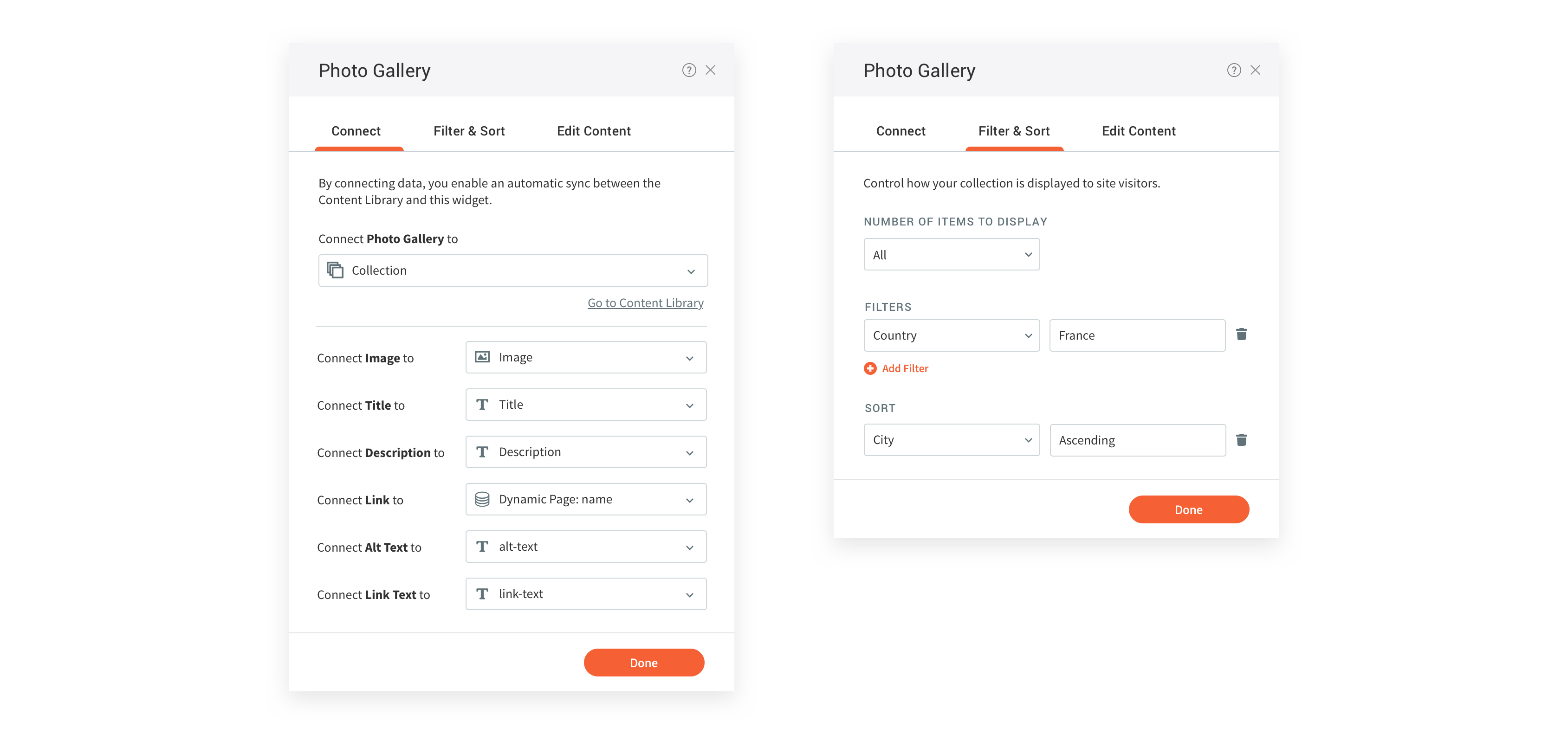
While most widgets connect only to one data types, some more complex widgets that connect to data collections requires specifying which data type connect to which field. For this we extended the connected data popup to include field mapping. Basic collections automatically connect (according to field names), but it allows users to override this if needed.
In addition, we've added the option to filter and sort the disaplyed collection data.
-
04
Releases
-
Scope & Release
-
This feature was initially released as part of an SOW from one of our customers. It took 3 months to release an MVP which included very limited amounts of widgets and data types. I worked with one developer and one QA engineer. When this gained popularity we continued to develop it, and used connected data as the base technology for other features as well.
-
Release Phases
-
The first release was in Aug 2018. The content editors were built gradually and released independently. The new modal was released in Oct 2021.
-
Impact
-
Connected Data's impact on Duda was huge - it gained us a huge client back in 2018. Its used mostly by our Enterprise and Agency plans to automate their process and give their clients an easier website creation experience. In 2020 and 2021, it was used yearly by 50K users - including account owners, staff members and customers.